
Workflow validation with tutors
We walked through scanning, Study Plan creation, and session notes with early users to make sure each flow matches the classroom reality.
Capture your syllabus, generate a smart schedule, and keep every session documented so you can focus on teaching and learning.
KeBan focus
Feedback from real tutors and students keeps us focused on verified workflows, unambiguous data access, and multilingual UX—no vanity numbers.
We walked through scanning, Study Plan creation, and session notes with early users to make sure each flow matches the classroom reality.
KeBan stores only essential plan data via Firebase Auth/Firestore so solo teachers have precise, audit-friendly control of their information.
The app and site both support zh-Hant / English / Japanese with instant language switching, keeping cross-border lessons aligned.
Features
Three tightly connected modules cover content capture, scheduling, and every lesson note with a serene interface.
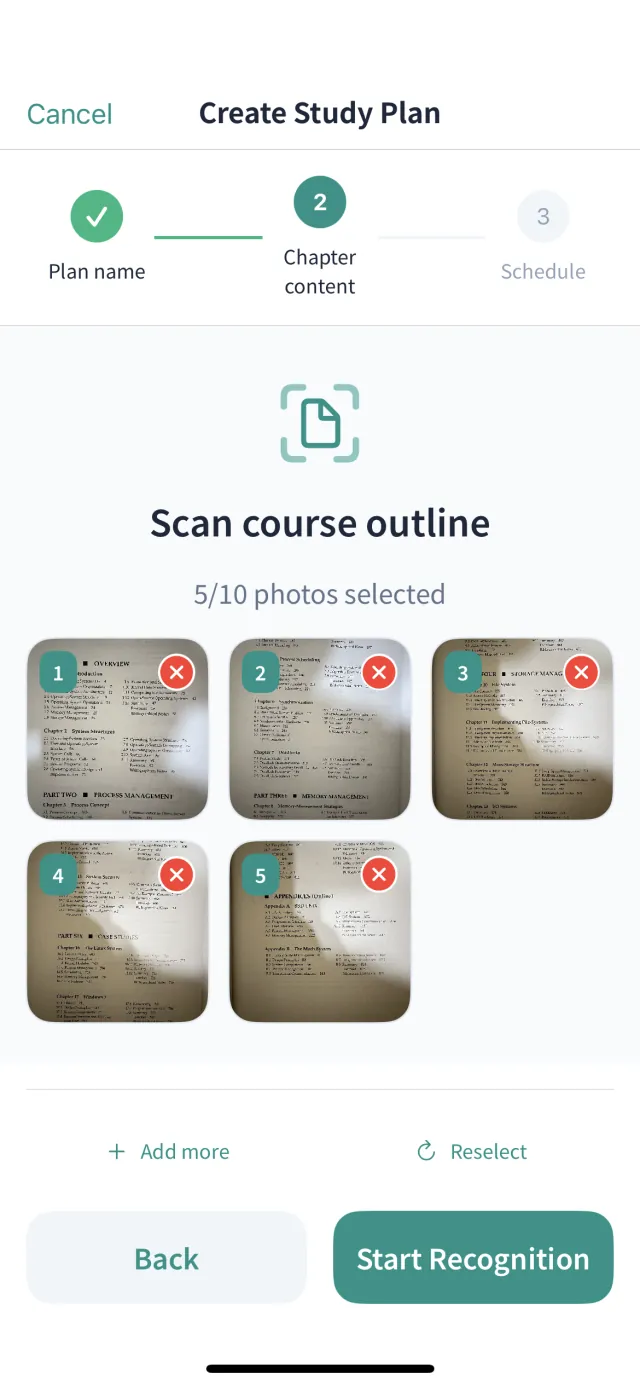
Scan any syllabus and let AI detect chapters, sections, and practice highlights so a reusable structure is ready in minutes.
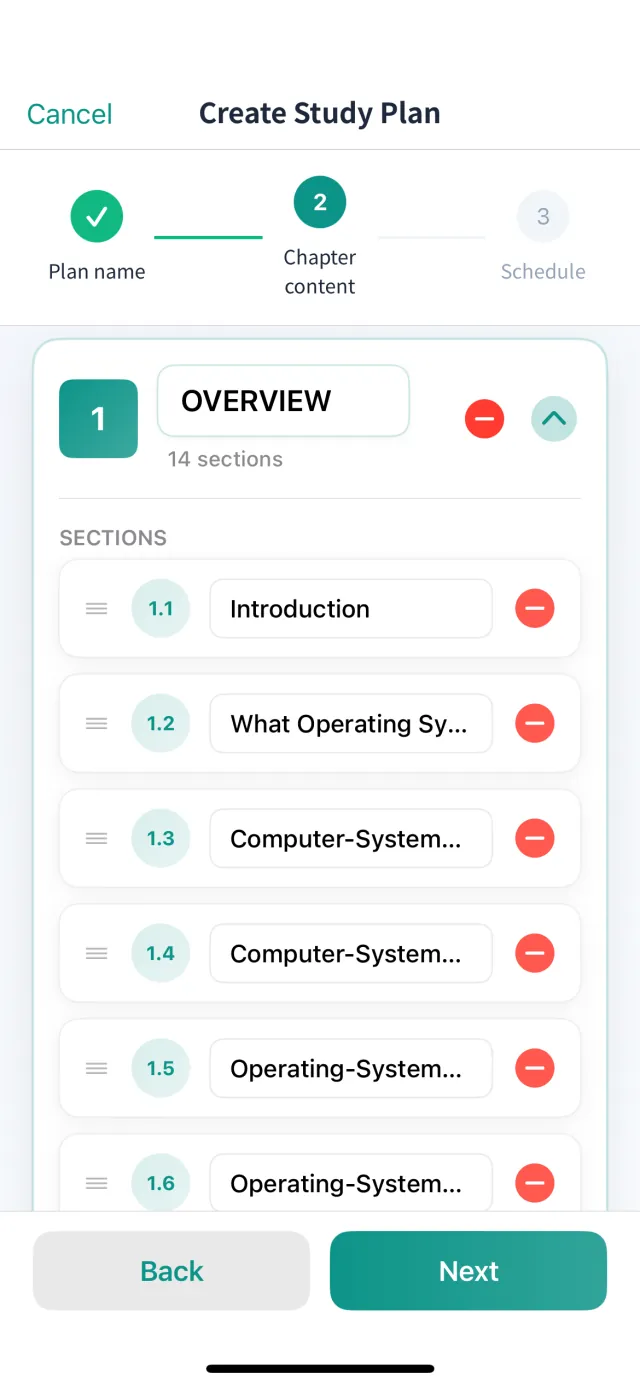
Pick weekly rhythms, pace per session, and a start date—KeBan auto-builds the full plan and adapts when conflicts appear.
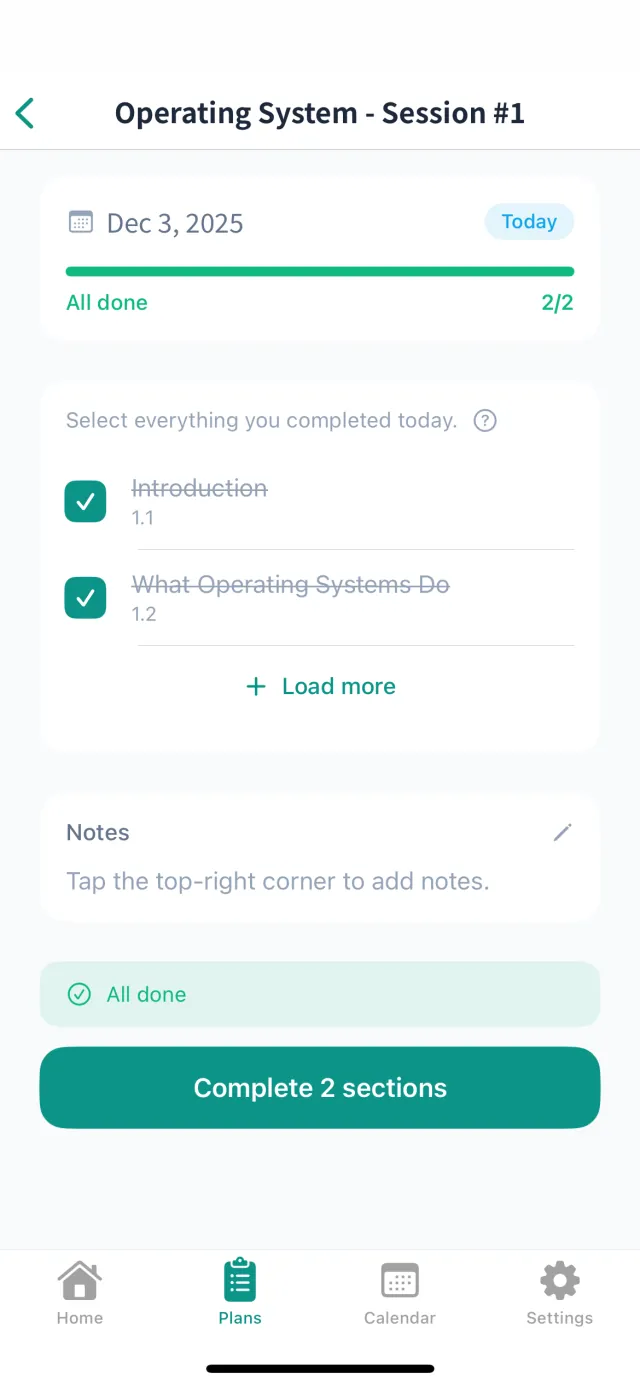
Keep completion states, notes, and action items together while progress bars and ETA stay visible for everyone.
How it works
Students and tutors follow a familiar routine with less manual work and clearer status.
Upload a photo of your textbook or syllabus table of contents, and KeBan transforms it into chapters and topics you can fine-tune.
Choose teaching days, number of sections per lesson, and the start date to generate the entire schedule with an ETA.
Mark sessions as done, postponed, or canceled and keep both sides aligned on homework and adjustments.
App Preview
A clean, intuitive interface that makes course management enjoyable.
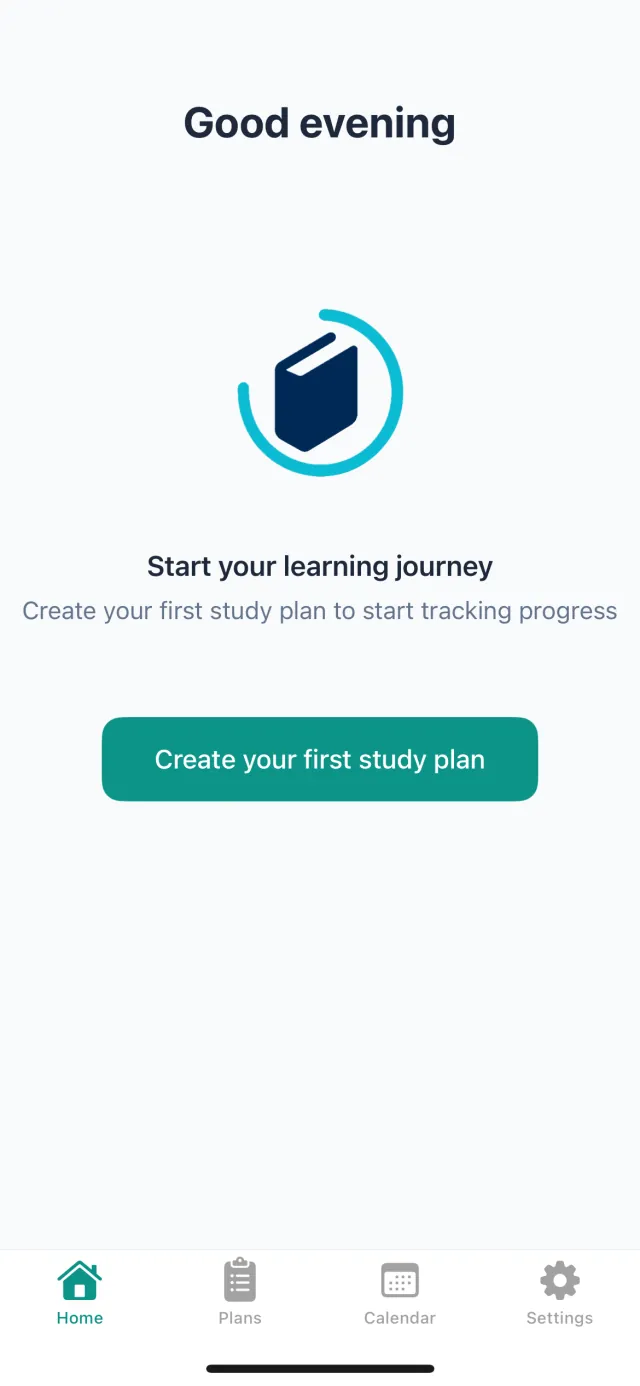
Start your journey
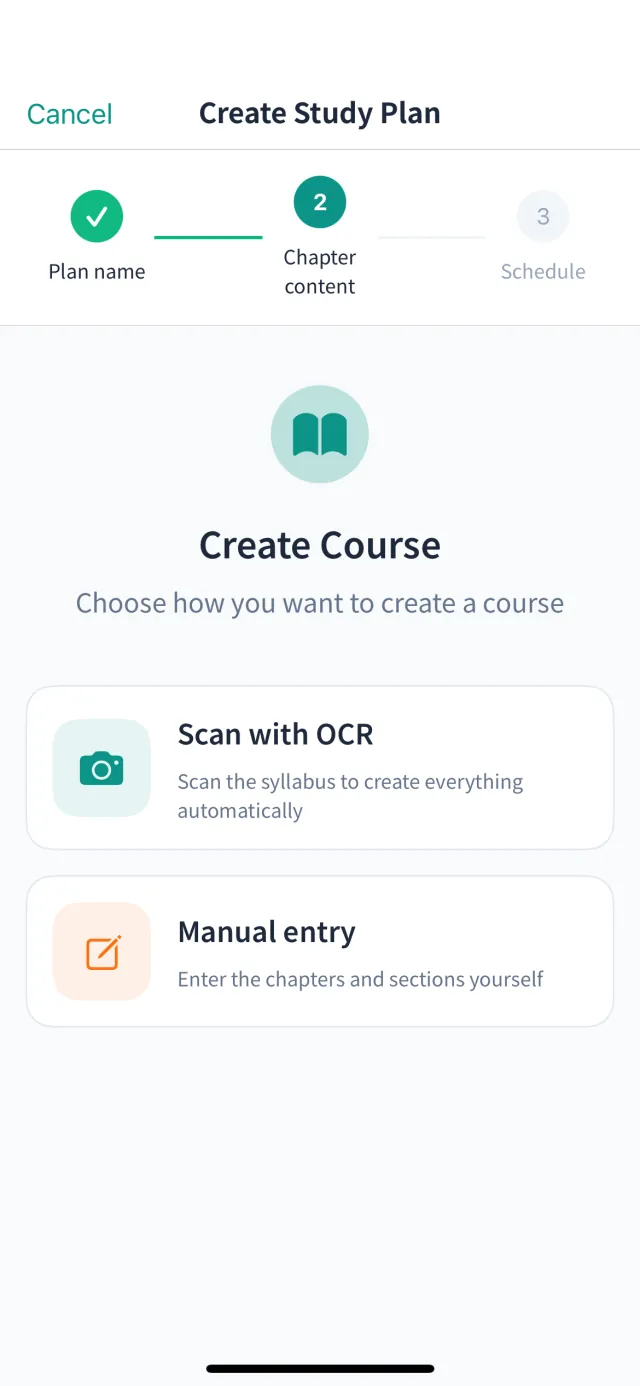
Create a course
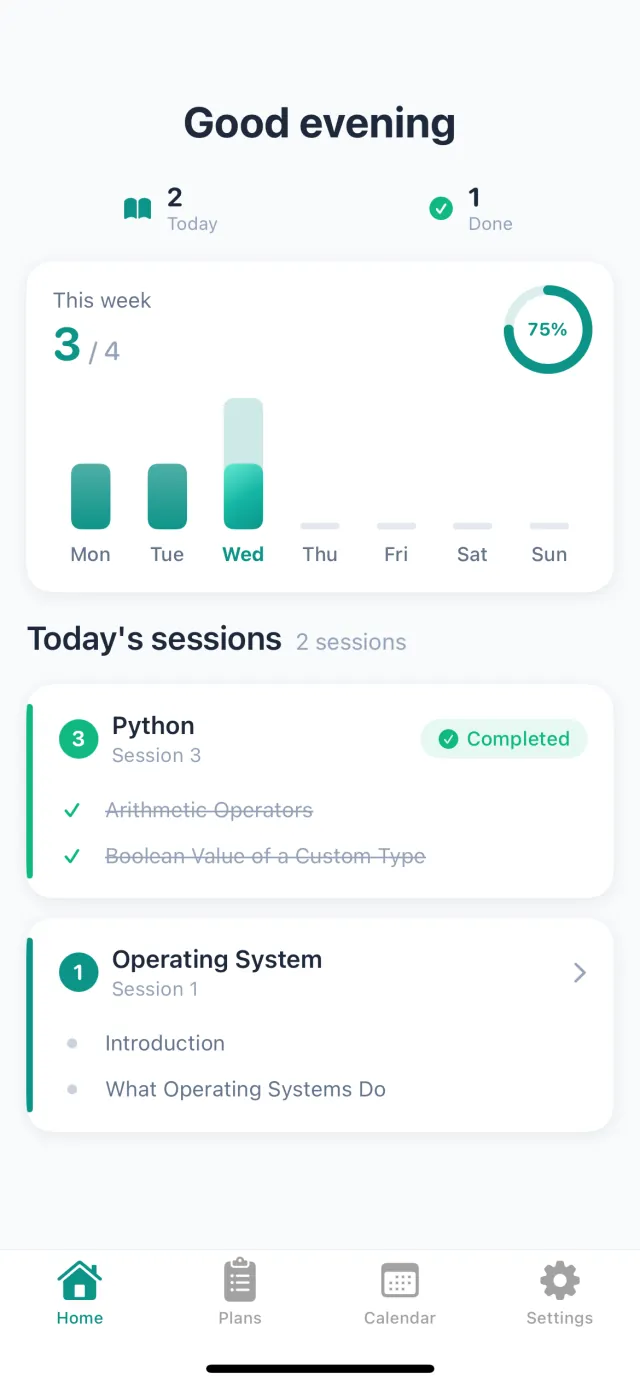
Home dashboard
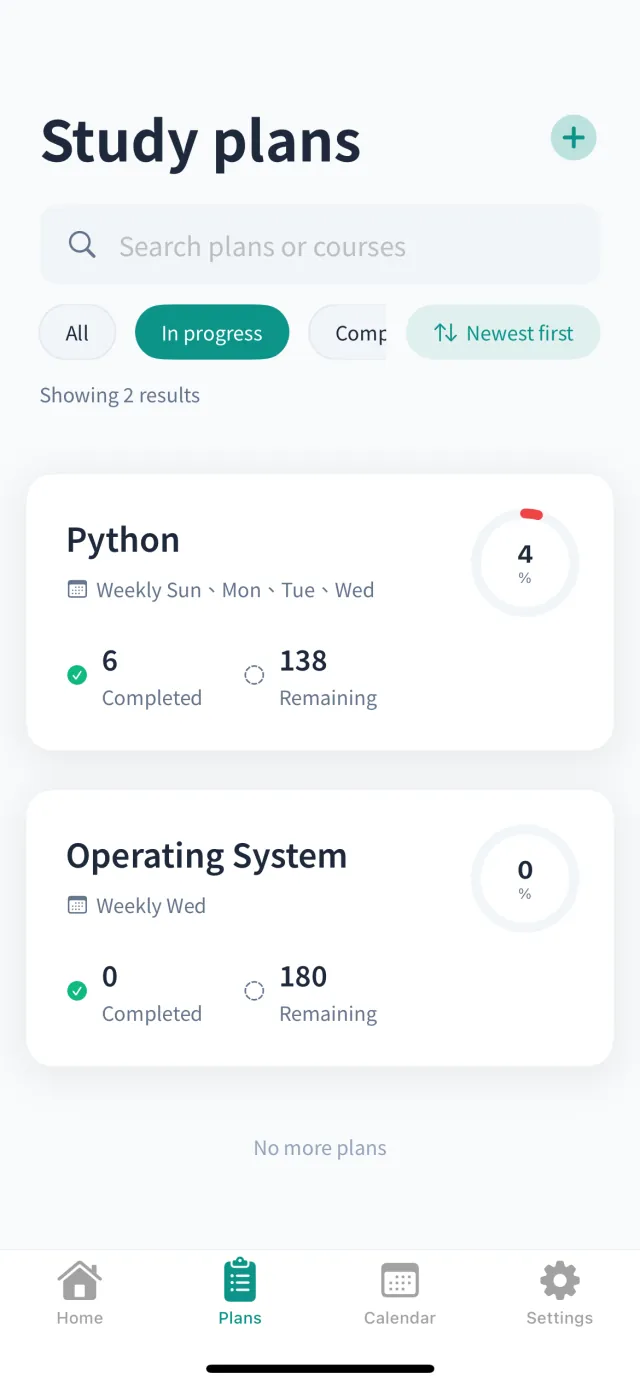
Study plans list
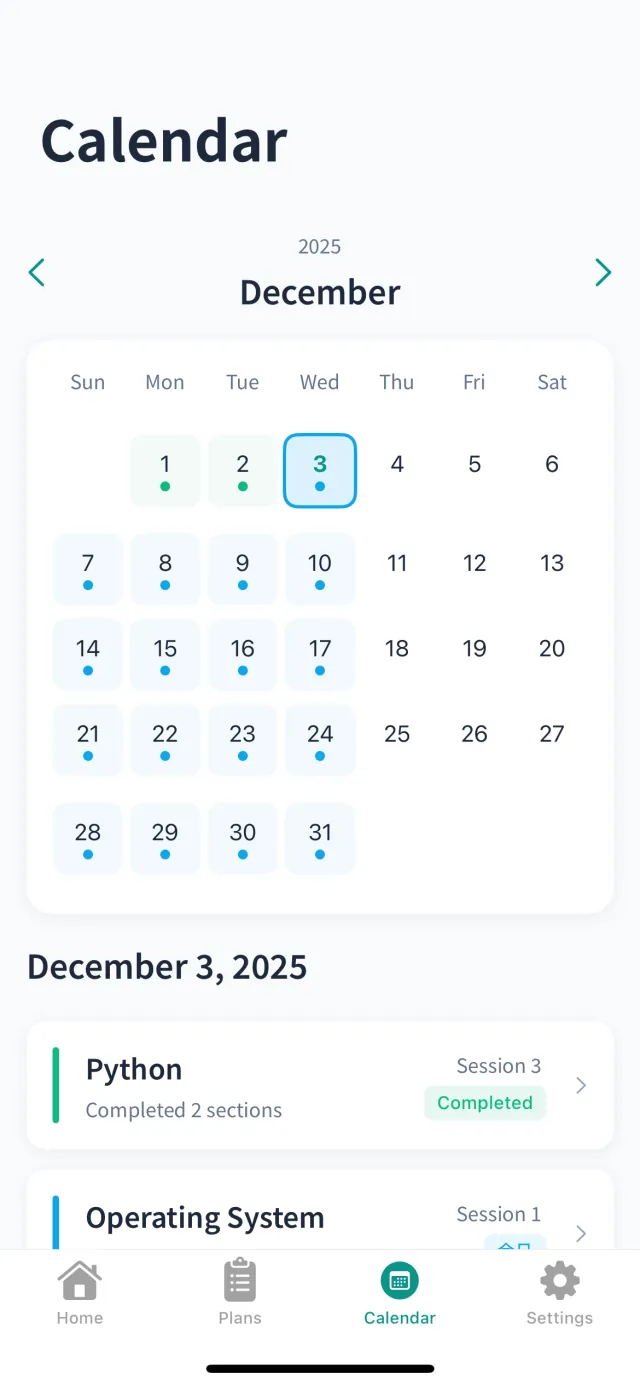
Calendar view
Session details
Who uses KeBan
Solo learners, private tutors, and micro-classes stay in sync without juggling spreadsheets.
Break courses into daily chunks and learn exactly when to reinforce weak spots.
Keep a bird’s-eye view across many students while adjusting sequences in seconds.
Testimonials
Real tutors and students explain how KeBan reduced friction around planning.
“I used to dig through chats and spreadsheets to remember what comes next. With KeBan the timeline is always ready and my students see updates instantly.”
“I placed my entire entrance-exam outline into KeBan and it calculated the daily load. Even mock exams no longer break my rhythm.”
Get started
KeBan is now available on the App Store. Download for free and experience all features.
Scan to download
Questions? Email [email protected] and we will get back to you shortly.